System Diagrams
This page is the top-level block diagram of SidewalkPilot: the three-device compute split, sensors, steering/motor hardware, and links that carry data between them. It is the anchor exhibit that every other diagram on this branch drills into.
What the Diagram Shows
SidewalkPilot runs across three boards, each doing the job it is best at:
- Jetson Orin Nano at
10.42.0.2:8770- the AI brain. Runs every current steering-model family on the GPU: Series 1/2 through PyTorch CUDA and Series 3/4 through ONNX Runtime CUDA. The Raspberry Pi 5 sends a camera frame and model selection; the Jetson Orin Nano returns decoded steering plus model/runtime telemetry. Autonomous driving requires a recent result from this path. - Raspberry Pi 5 (
raspberrypi5) — the hardware and safety controller. Owns the live hardware I/O. It reads the Xbox controller over pygame, captures frames from the Raspberry Pi Camera Module 3 Wide through Picamera2, reads the LiDAR, GPS, and Hall-effect wheel-speed sensor over serial/GPIO, drives the steering servo through the PCA9685 Servo Controller, drives the JGB37-520 DC motors (12 V, 550 RPM) through the AT8236 Motor Controller, writes CSV logs, and sends dashboard telemetry. The main loop lives incode/controller/current/rc_car_app/runtime.pyand ticks at up to 60 Hz (clock.tick(60)). - Zero 2 W (
zero2w) - the dashboard. Receives telemetry over USB Ethernet and renders it on one HUB75 LED panel. Rendering code isz2w_dashboard.py.
Links Between Devices
- Raspberry Pi 5 <-> Jetson Orin Nano: direct Ethernet request/response for the selected model. The exact returned contract depends on the model family; the Raspberry Pi 5 receives decoded steering and telemetry.
- Raspberry Pi 5 <-> Zero 2 W: USB Ethernet gadget. Raspberry Pi 5 is
192.168.10.1, Zero 2 W is192.168.10.2, dashboard telemetry is UDP to192.168.10.2:8765at a0.1 ssend interval (HUB75_DASHBOARD_SEND_INTERVAL_SEC). This is USB-only by decision; there is no Wi-Fi fallback. When the controller quits it tells the Zero 2 W to shut down (linked shutdown,HUB75_DASHBOARD_IDLE_EXIT_SEC = 2.0). - Telemetry out: training runs report to Weights & Biases; every controller launch writes a local CSV; InfluxDB logging is optional and activates only when the Raspberry Pi 5 has a valid
~/.influxdb.jsonconfiguration.
Why This Split
The Jetson Orin Nano supplies the GPU inference that makes the current Series 3/4 self-driving path practical near the camera rate. The Raspberry Pi Camera Module 3 Wide remains connected to the Raspberry Pi 5 because the current 81,237-image dataset was captured through that camera path. Final steering, motor, and AEB decisions remain on the Raspberry Pi 5.
What This Exhibit Documents
The checked-in separation of responsibilities: AI and current autonomous steering inference on the Jetson Orin Nano, hardware and safety control on the Raspberry Pi 5, and observability on the Zero 2 W. It does not establish hard-real-time timing or fault tolerance for every link.
System Architecture
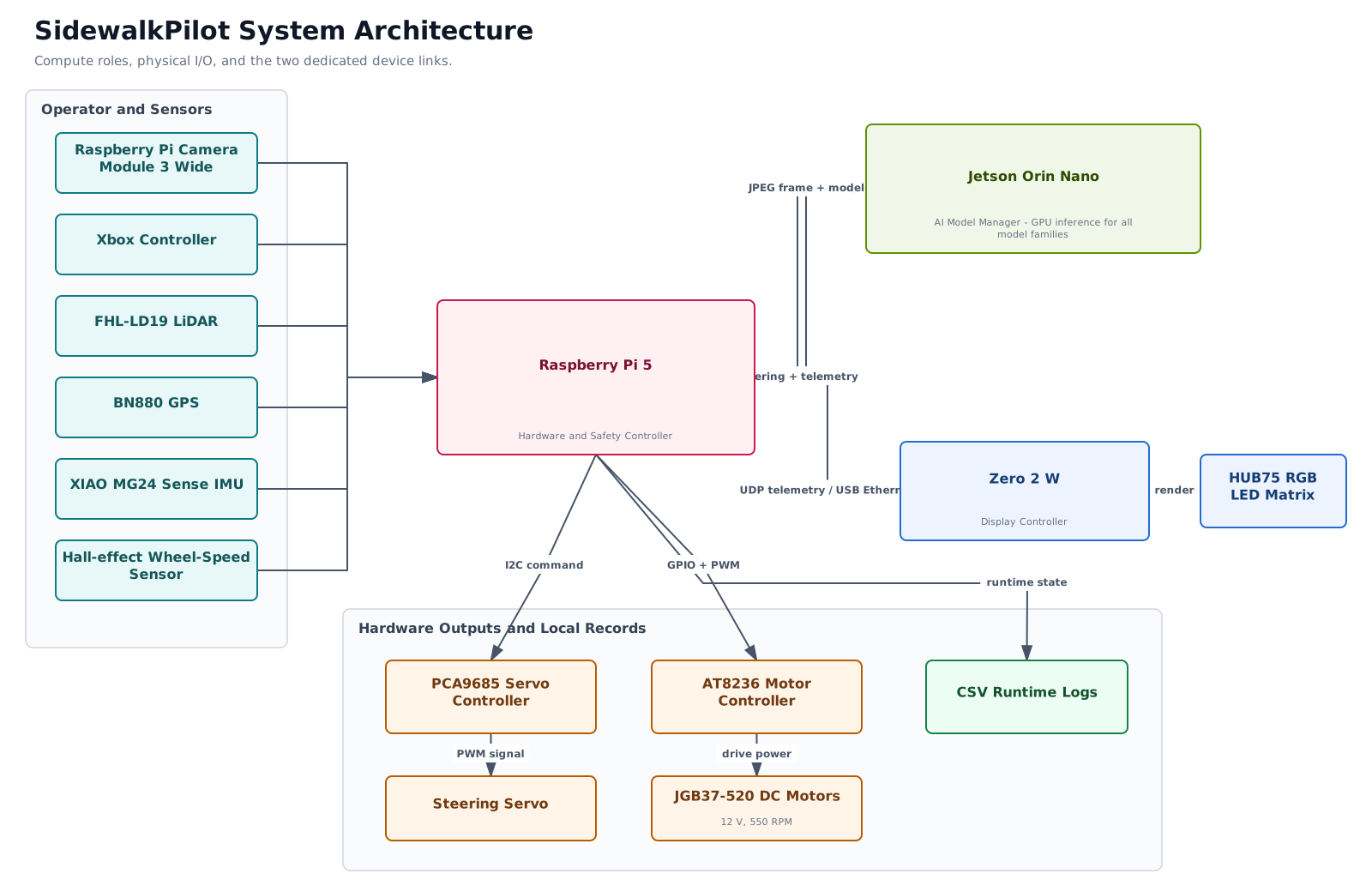
Compute, I/O, and device-link architecture. Open the full-size SVG or the editable draw.io source.
Source anchors: code/controller/current/rc_car_app/runtime.py, config.py, vision.py, jetson_inference_server.py, hub75_dashboard.py, and z2w_dashboard.py.
Runtime and Control Flow
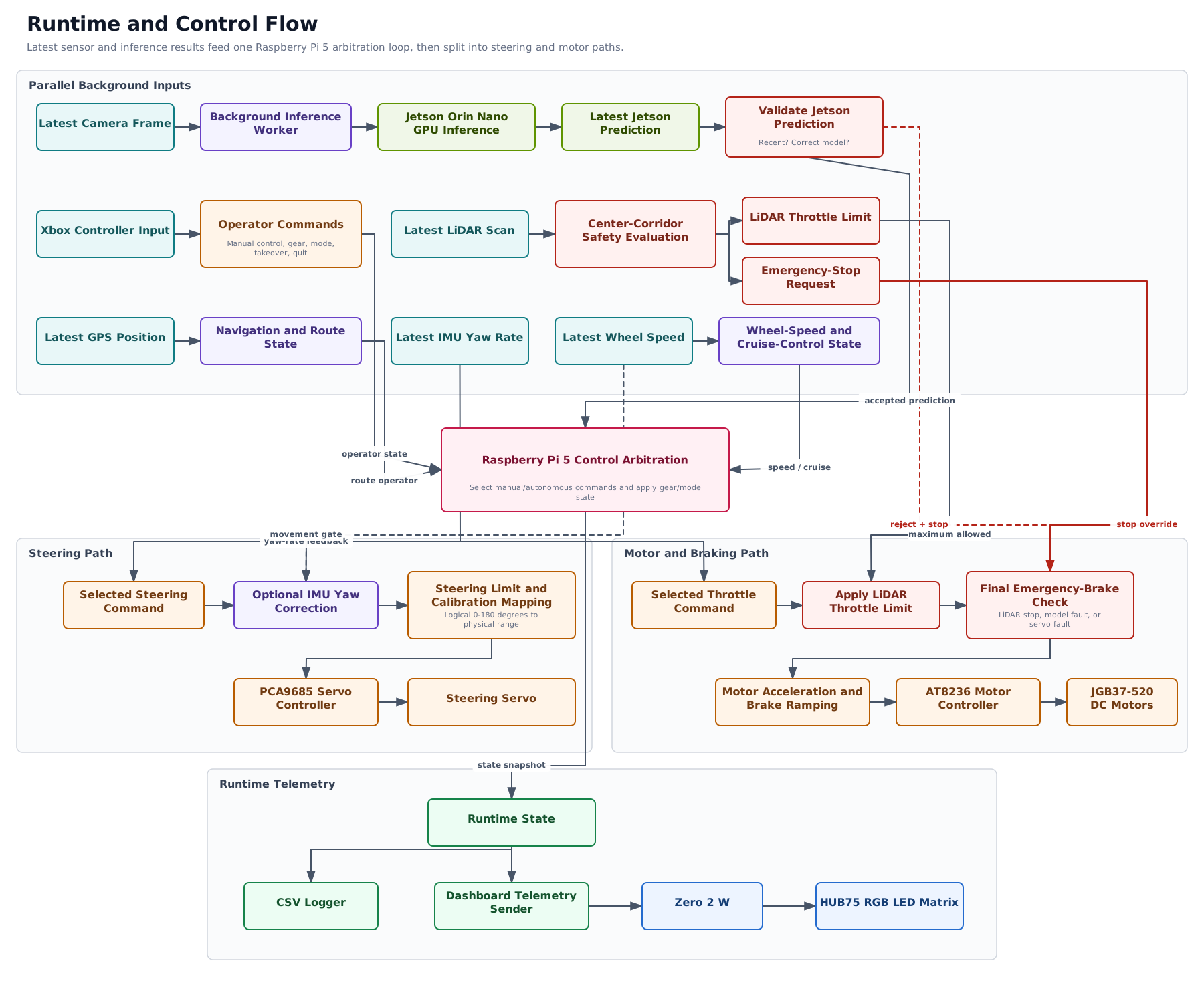
Runtime command and safety flow. Open the full-size SVG or the editable draw.io source.
Manual input cancels autonomy when processed. A fresh model proposal is required for autonomous steering. Enabled/fresh LiDAR can reduce forward throttle or request emergency braking, but it does not steer.
Training and Evaluation Flow
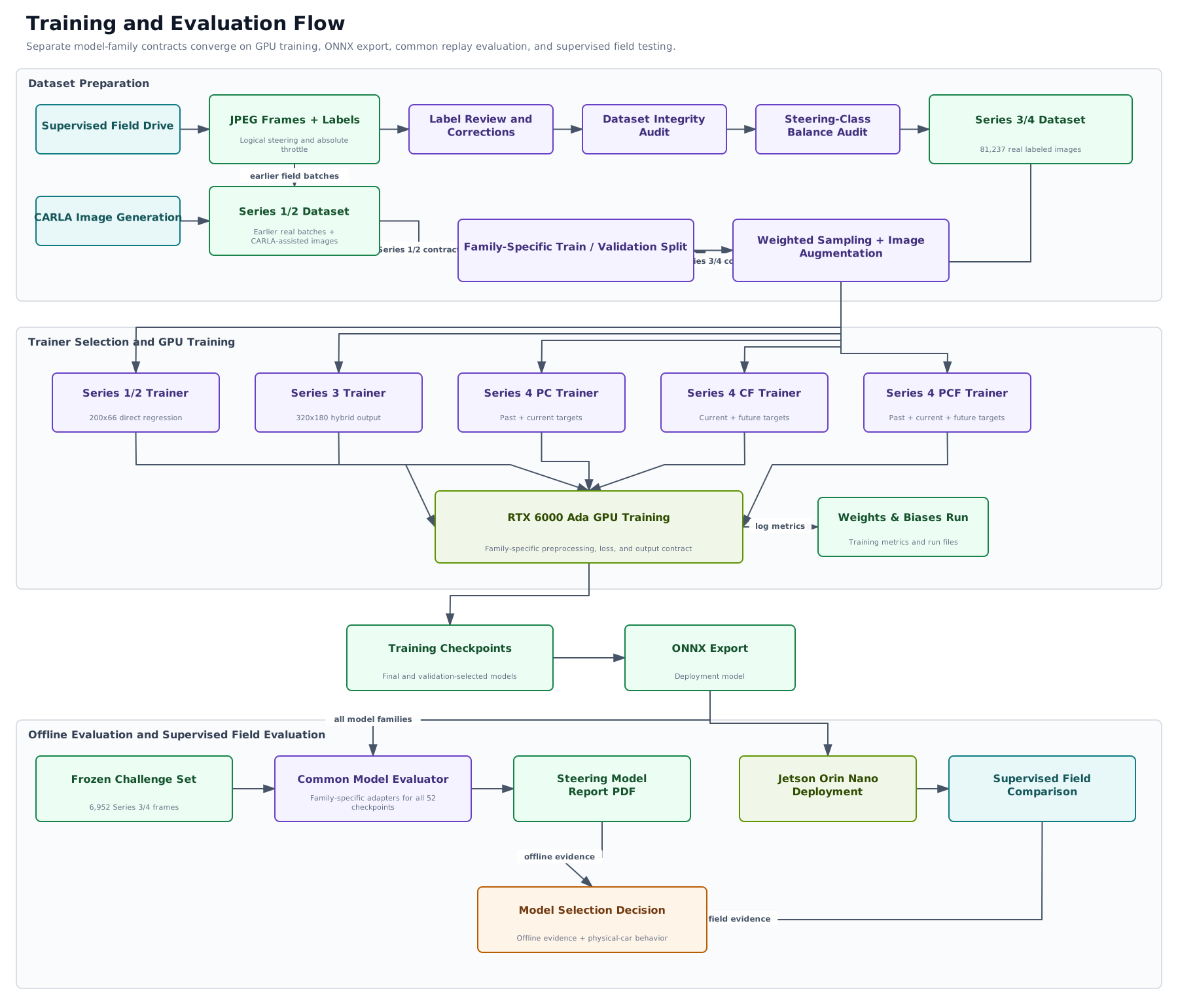
Training, export, and model-selection flow. Open the full-size SVG or the editable draw.io source.
Navigation Flow
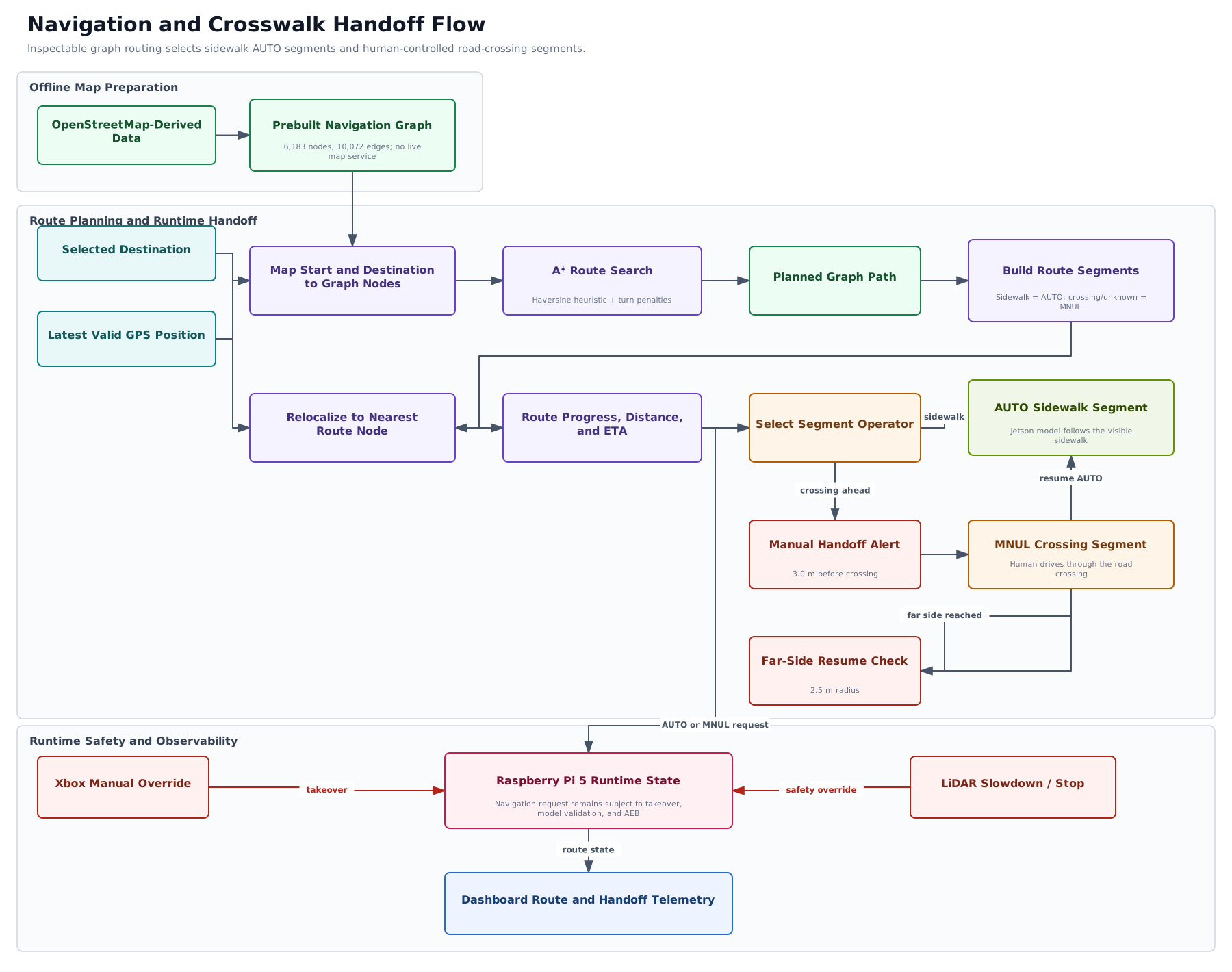
Navigation and crosswalk handoff flow. Open the full-size SVG or the editable draw.io source.